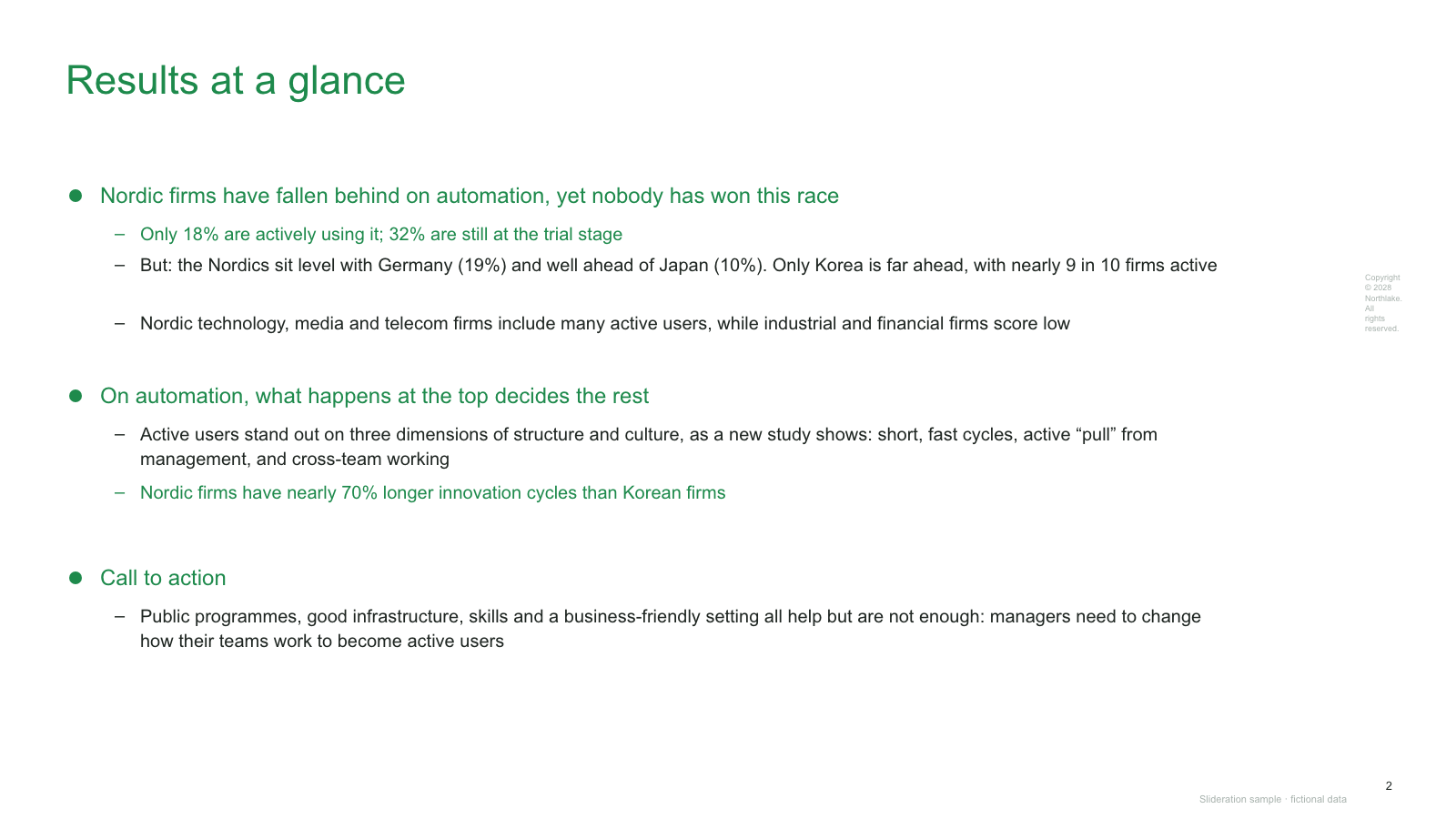
Test the fit: Can you state one recommendation and two or three reasons that support it?
Lead with the answer, put the evidence beside each reason, then name the next decision or action. A text-led summary gives a recommendation more room than a dashboard full of metrics.
Try this brief: A team must decide whether to expand a pilot. Open with the proposed decision, show the strongest evidence, and state the approval needed.
Choose carefully: If the evidence is not ready, do not turn assumptions into conclusions. An agenda lists topics; it does not substitute for the answer.
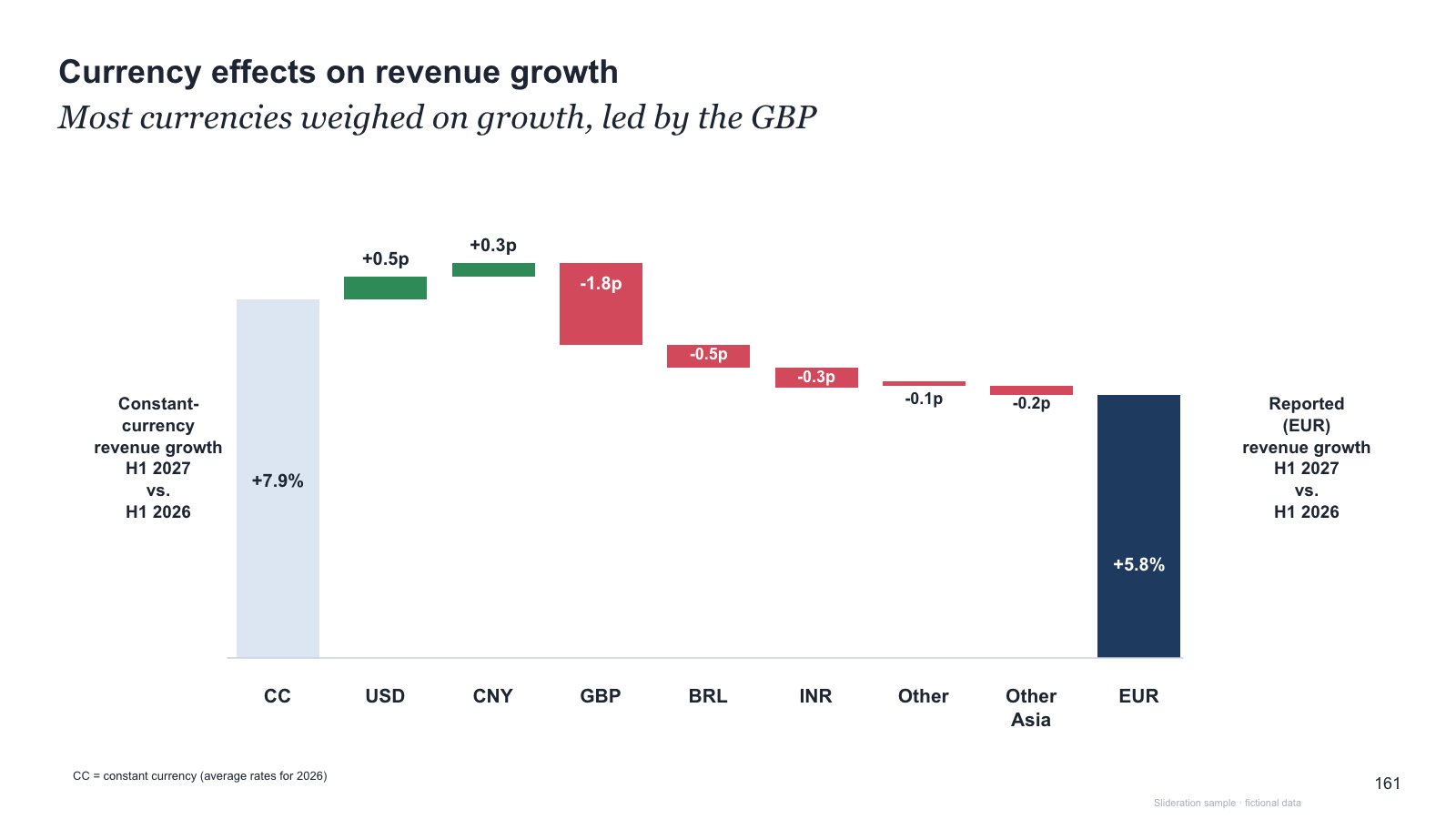
Test the fit: Do signed contributions reconcile the starting value to the ending value, in the same unit?
Show two anchored totals and the increases or decreases between them. Write each contribution on the chart so a reader can check the arithmetic.
Try this brief: Revenue moved from 100 to 112: volume added 9, price added 5 and currency removed 2. The steps reconcile to the 12-point change.
Choose carefully: Use a line chart for movement over time. If contributions do not reconcile, investigate the gap or label a residual; do not imply that the bridge explains everything.
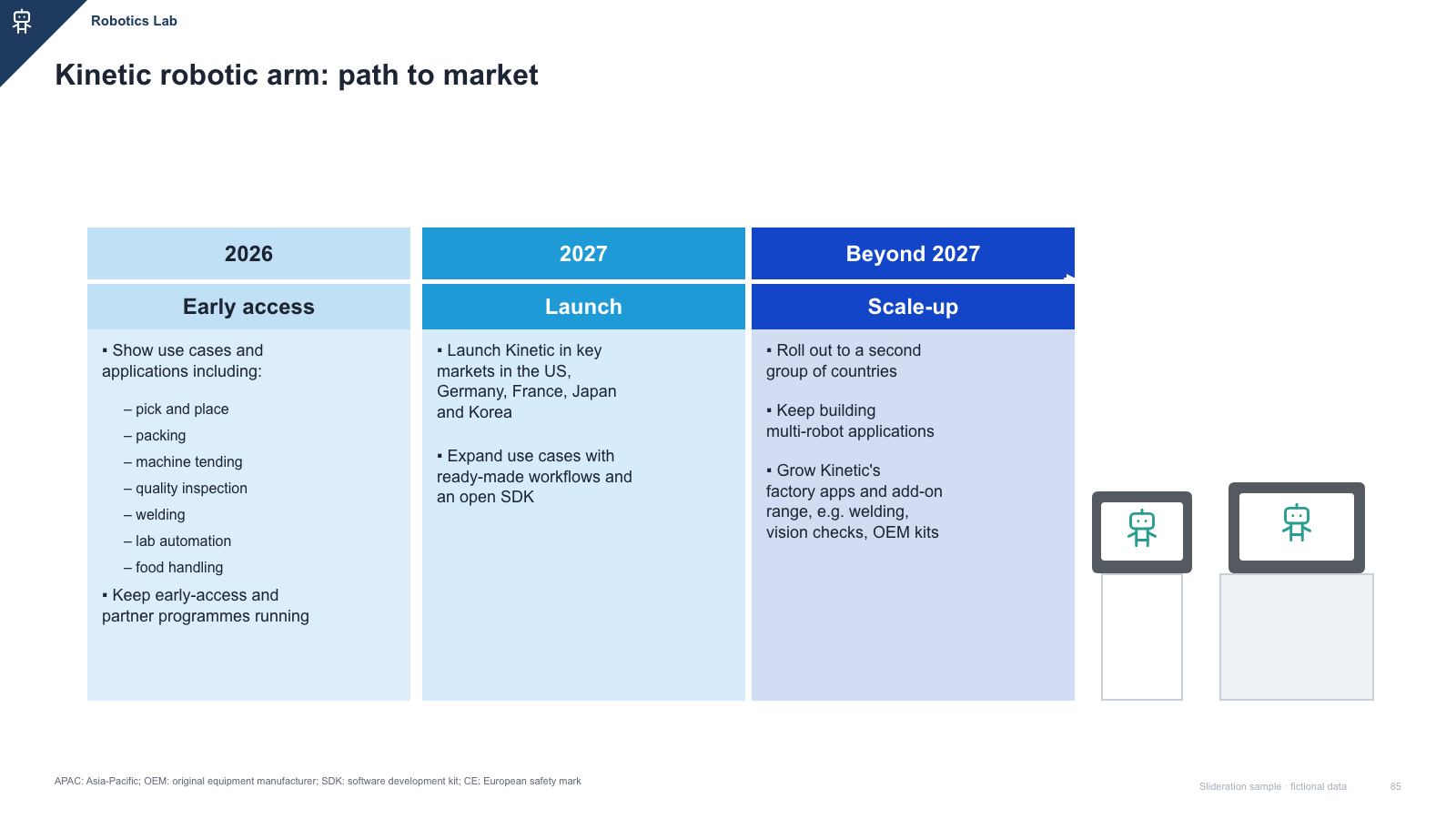
Test the fit: Would shifting the dates change the commitment you are communicating?
Attach dates and status to milestones. Use a date-scaled axis when duration matters; use milestone cards when the consequence of a few events needs more explanation.
Try this brief: A launch update needs an approval date, a pilot start and a release target. Distinguish completed events, planned work and conditional commitments.
Choose carefully: A sequence without dates is usually a process. The free milestone sample below is a card summary, not a date-scaled schedule; choose a dated roadmap when timing or dependencies carry the message.
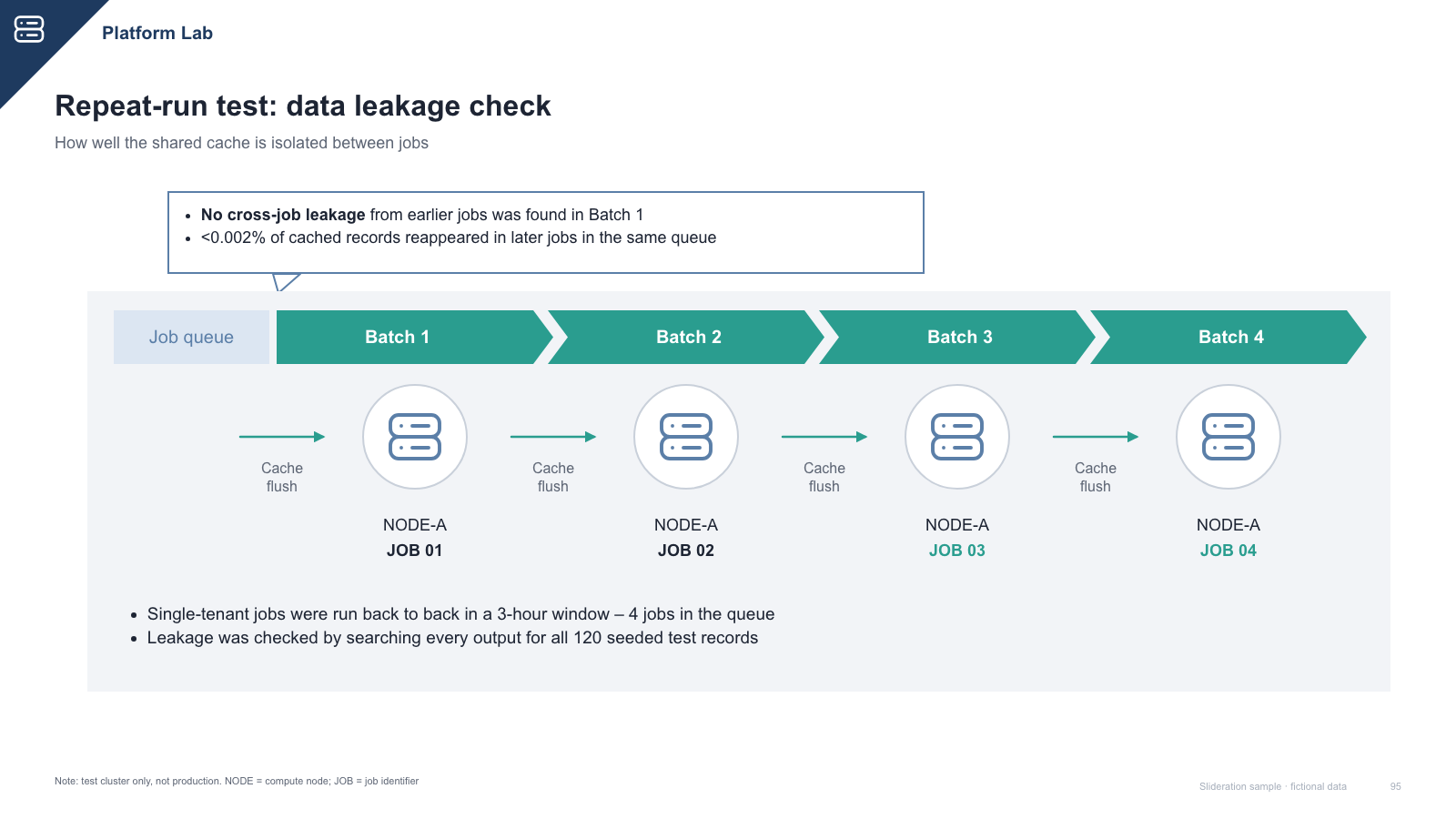
Test the fit: If you swap two steps, does the explanation become wrong?
Label the activities or outputs in their real order. Use arrows only where one stage actually leads to another, and show a decision branch when the next step depends on an answer.
Try this brief: Explain how a request moves from intake through review, approval and delivery. Keep the main path visible before adding exceptions.
Choose carefully: A row of unrelated priorities does not become a process when arrows are added. If the final step restarts the first, consider a cycle instead.
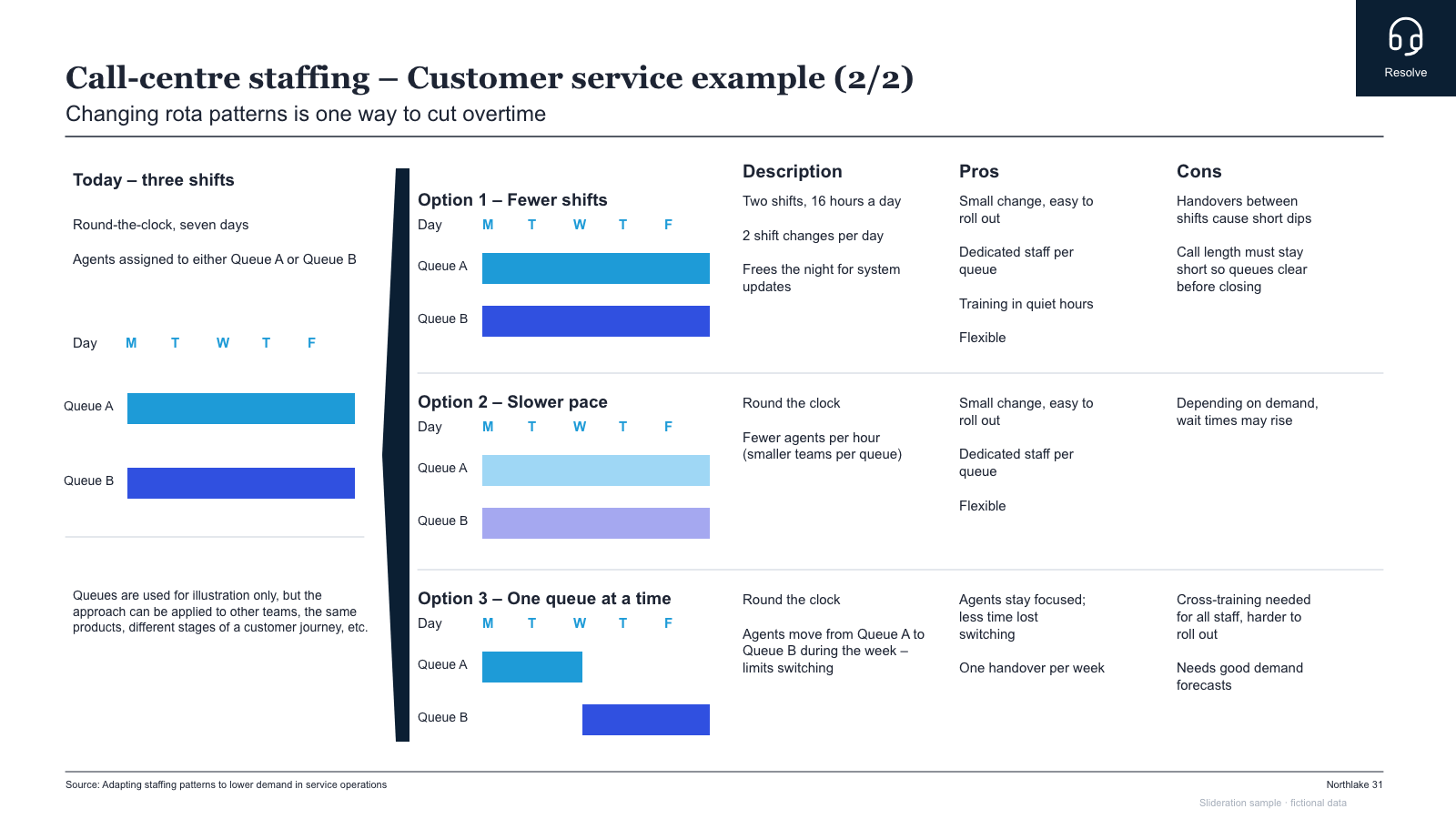
Test the fit: Can you assess every option against the same criteria?
Put options in consistent columns or rows. Choose criteria that would change the decision, show missing information, and make the trade-off explicit.
Try this brief: Compare three rollout options on lead time, cost, coverage and risk. A reader should be able to scan one criterion across all three options.
Choose carefully: Do not select different criteria to flatter each option. If two continuous dimensions explain the choice better than a table, use a two-axis matrix.
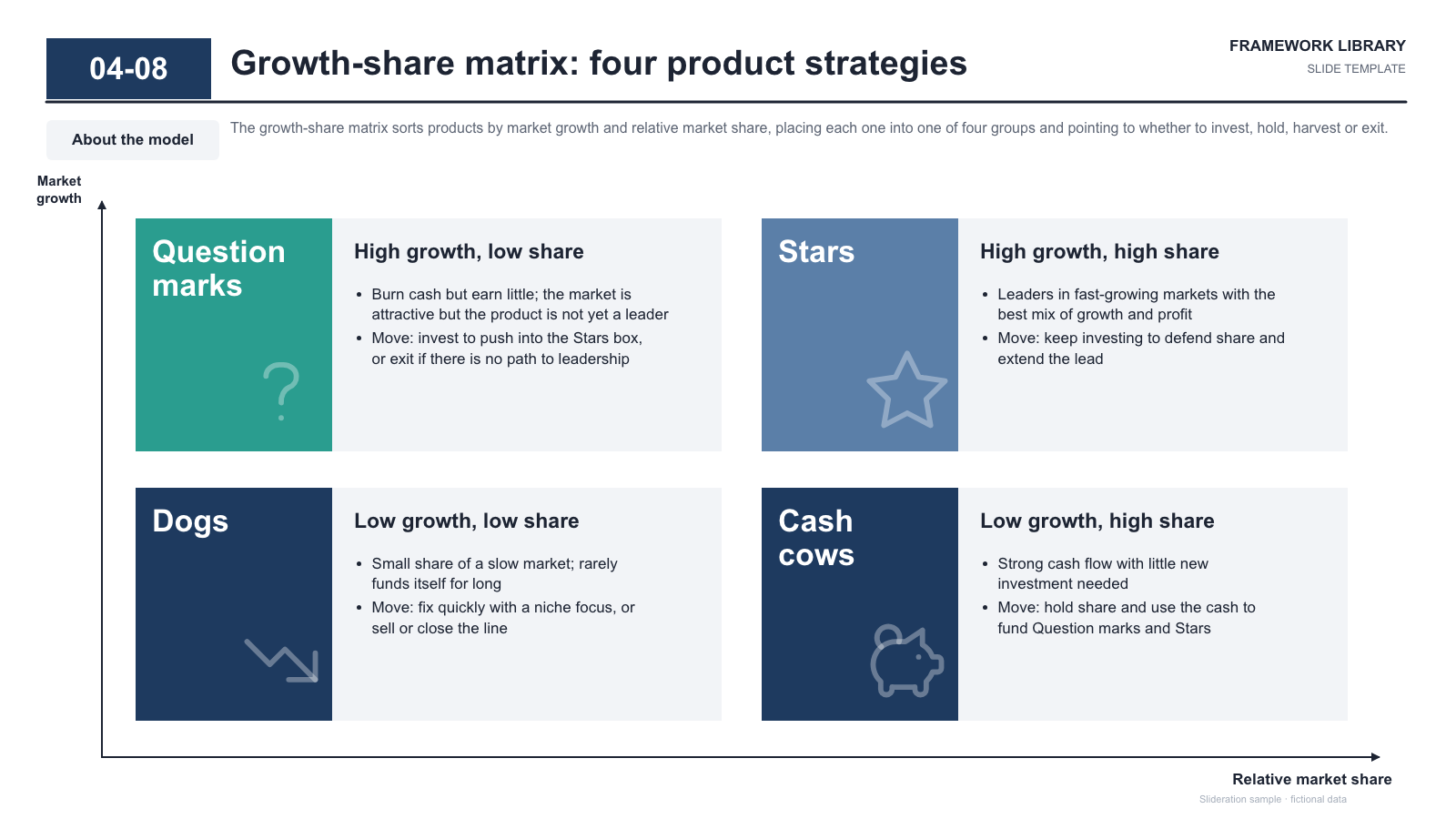
Test the fit: Are the two axes distinct, defined and supported by a defensible way of positioning each item?
Name both axes and the direction of increase. Explain the basis for each position and any threshold; a quadrant label should follow the analysis.
Try this brief: Map initiatives by expected impact and effort after defining how both are estimated. Discuss the trade-off rather than treating a quadrant as an automatic decision.
Choose carefully: Four message boxes are not an analytical matrix. If you cannot justify item positions or thresholds, use an explicit comparison table instead.
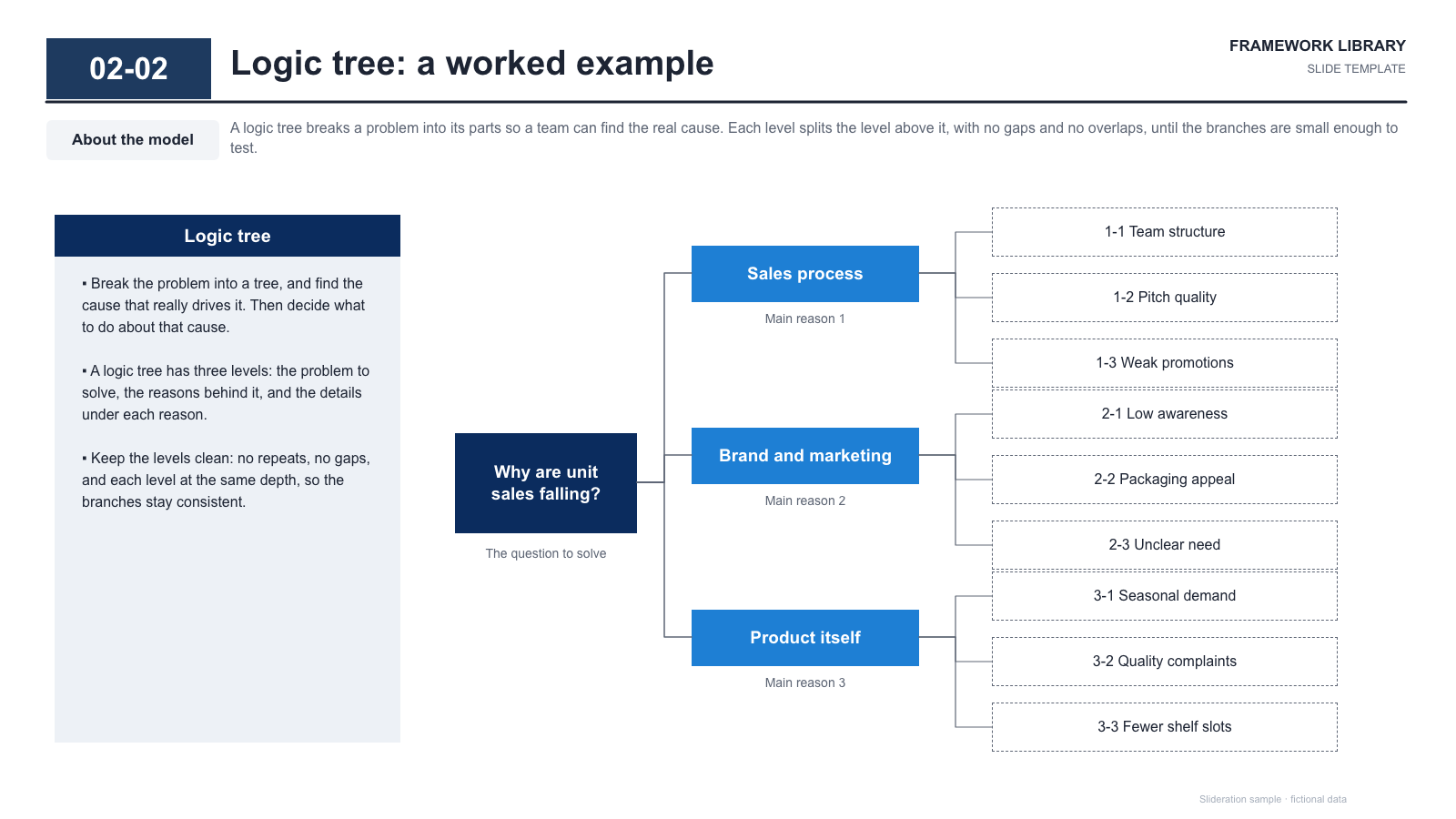
Test the fit: Does each branch divide the same root question, with clear boundaries and testable leaves?
Start with one bounded question, separate the investigation into branches, then name the evidence that would support or reject each hypothesis.
Try this brief: For falling unit sales, separate demand, availability and conversion before assigning measures to each branch. Revise the branches as evidence arrives.
Choose carefully: A tidy tree does not prove a cause or guarantee exhaustive, non-overlapping branches. Use a process flow when the question concerns ordered activities.
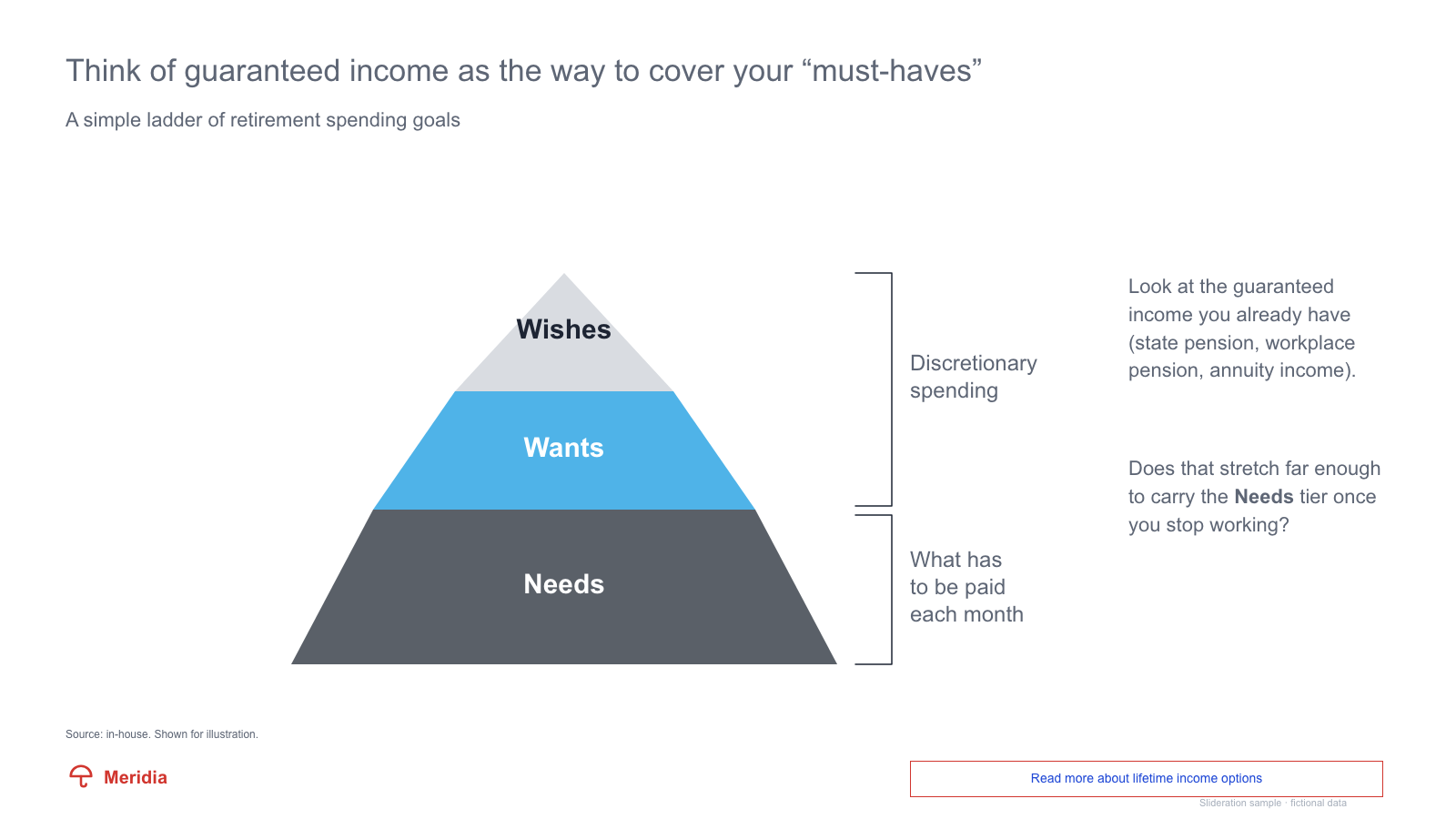
Test the fit: Can you name the relationship between adjacent levels, such as foundation, abstraction or escalation?
Give each tier one clear role and explain what changes as a reader moves upward. Keep the number of tiers small enough to explain without a separate legend.
Try this brief: Show foundational capabilities, the services they enable and the outcome above them. State the dependency in the labels and supporting notes.
Choose carefully: Pyramid area does not automatically represent quantity or importance. For reporting lines use an organisation chart; for causes use an issue tree. Some needs will require a layout outside these nine.
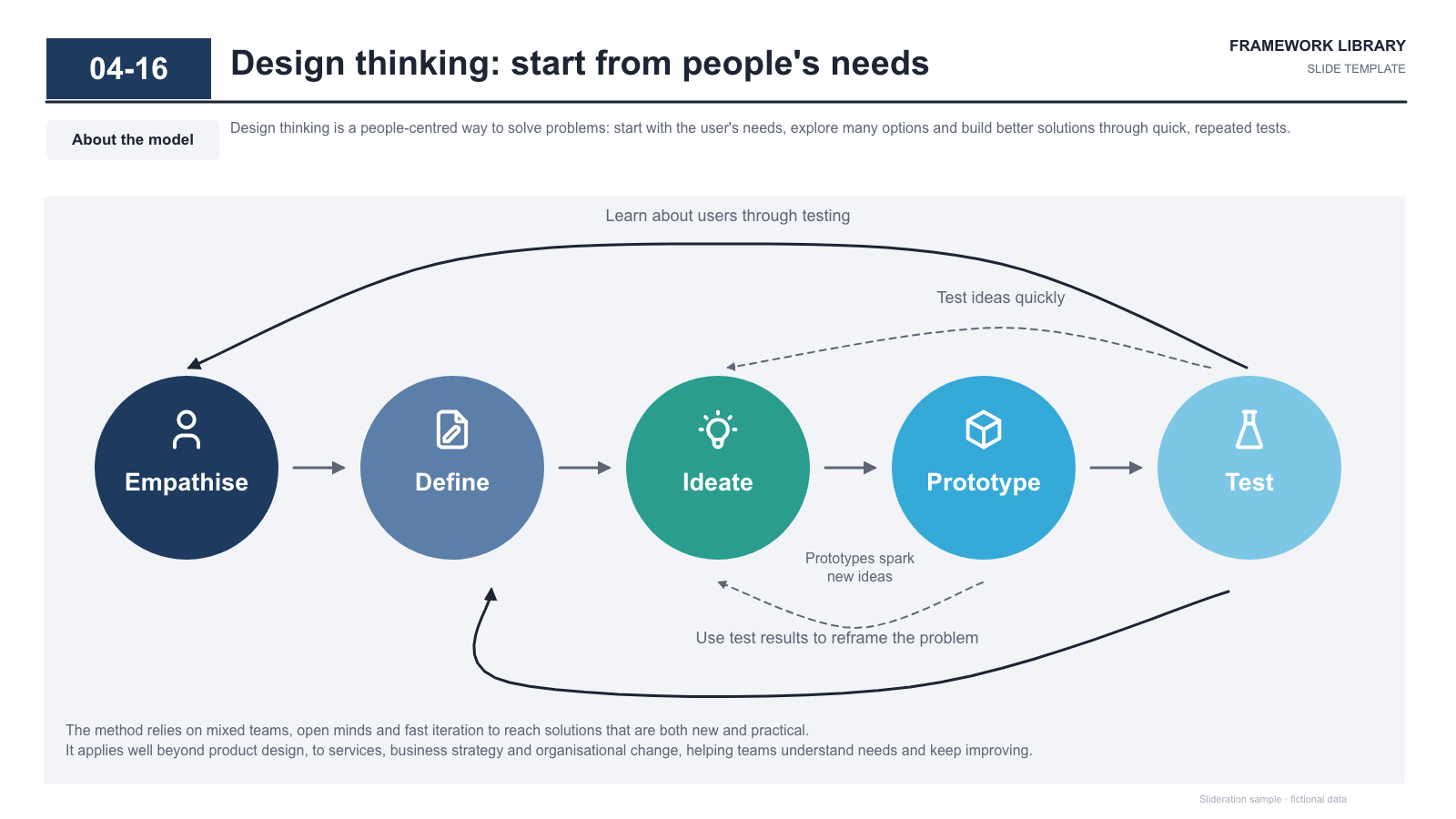
Test the fit: Does the last stage actually feed the first, and can you explain that return?
Name each stage and the feedback that closes the loop. Mark the entry point if the audience needs to know where to begin.
Try this brief: Plan, run, measure and adjust a recurring experiment. Explain how the measurement changes the next plan rather than drawing an unexplained closing arrow.
Choose carefully: Use a straight process for a one-time sequence. If timing varies between stages, a circular diagram should not imply equal duration.
These three links load a public fictional sample into the real search tool. Search results come from the library. You can replace the sample with your own draft.
A layout organises an argument; it cannot supply missing evidence. If your slide is trying to answer two different questions, split it before choosing the geometry. Check the conclusion, labels, units and sources before presenting.
These nine choices cover common business presentation needs. Charts of trends or distributions, detailed schedules and organisation charts may need another form. Parallel themes may fit pillars; relationships around a central topic may fit a hub-and-spoke diagram. A set of independent messages should not be forced into a sequence, tree or hierarchy.
Library previews contain fictional sample content. Replace every claim and figure with your own evidence. Free samples use the slide licence: edit them for your own presentations, including client work; do not redistribute or resell the template files.