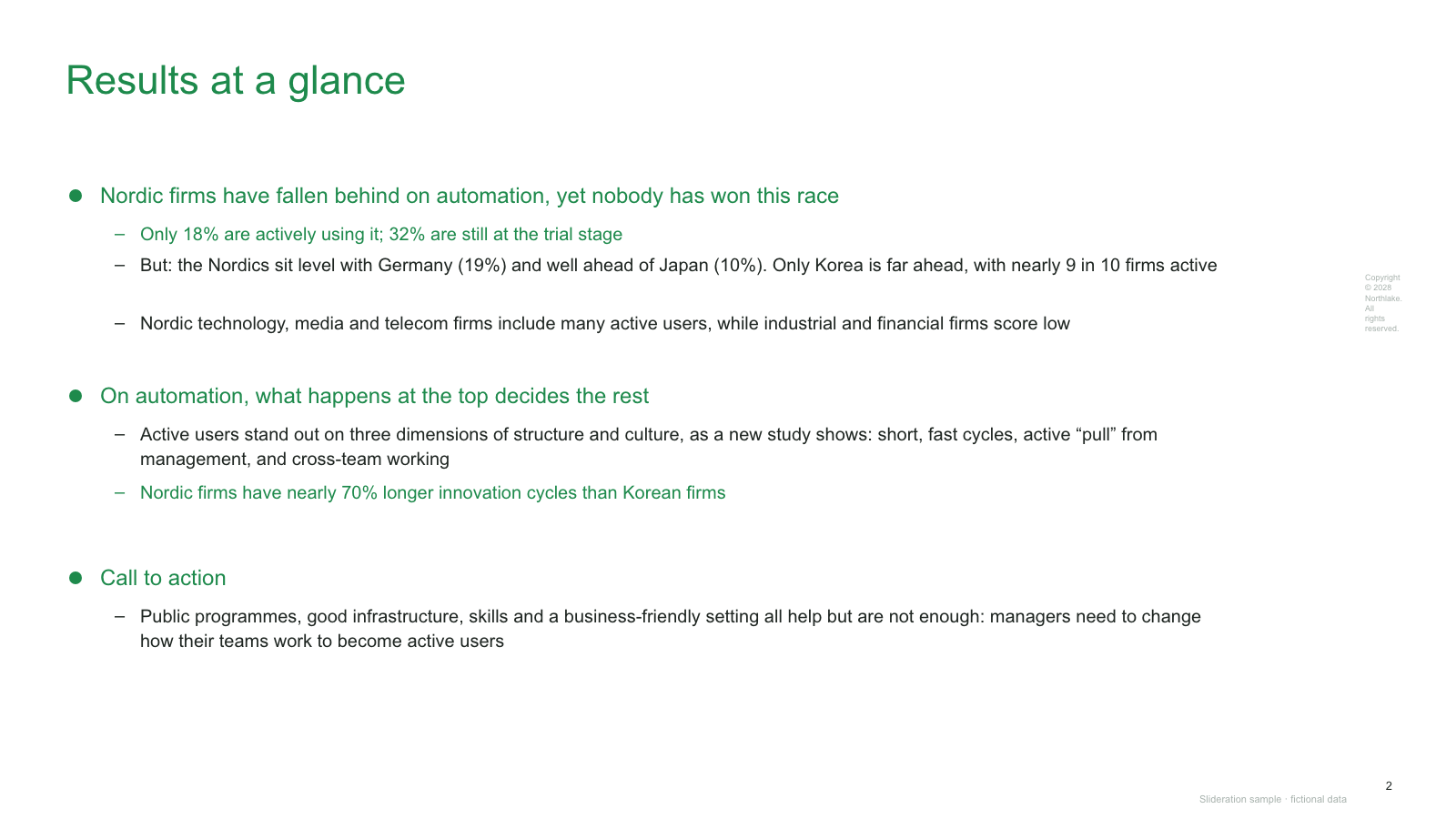
Text-only summary page with colour-highlighted sub-bullets under three headline points
Free PPTXSLIDE LAYOUT LIBRARY
An executive summary slide should let a busy reader understand the decision, the evidence and the next move without reading the rest of the deck. These four editable PowerPoint layouts offer different ways to do that: a text-led summary, a KPI dashboard, a multi-metric page and a chart-led report.
One editable sample, no sign-up. See how to adapt it.
or drop an image here
Search is free · searches the whole library, not just this page
No screenshot to hand?
Put an executive summary near the front of a decision deck, after the title and before the supporting analysis. It is most useful when the audience may read only one page or when the meeting needs a decision rather than a tour of your research.
Choose the form to match the evidence. Use the text-led layout when three conclusions carry the argument; a KPI dashboard when a small set of numbers tells the story; and a chart-led layout when the movement or mix of a metric is the proof. A summary is not a miniature copy of every page in the deck.
Write the summary after the analysis. Start with the recommendation, select two or three facts that make it credible, then state the action and owner. If you cannot name the decision, the deck may need a sharper question before it needs a prettier slide.
FICTIONAL WORKED EXAMPLE
A fictional briefing contains adoption figures (18% active, 32% in trials), country comparisons, differences between industries, and observations about management and team working. The audience needs to know what matters and what to do next.
Use the text-led summary d049: three headline conclusions with the evidence nested underneath. A timeline would describe sequence, while a dashboard would foreground metrics without giving the recommendation enough room.
The finished sample groups the information into an adoption gap, the role of leadership, and a call to action. The numbers support the conclusions rather than competing with them. Treat every figure and company name as fictional sample content, not as a research finding.
Edit the headline, the three conclusion blocks, the supporting bullet text, the colour highlights and the footer. These are native PowerPoint text boxes and shapes; you do not need to trace a screenshot.
Read the full before-and-after slide makeover guides
No account, payment or credits required for this sample. Get all three free PowerPoint templates. Use in your own presentations under our slide licence.
Each one is redrawn from scratch with fictional sample data and comes as a native PowerPoint file — real shapes and text boxes you can edit, recolour and resize. Open an image for a full-size preview. Samples marked Free PPTX need no account; other downloads use 1 credit.
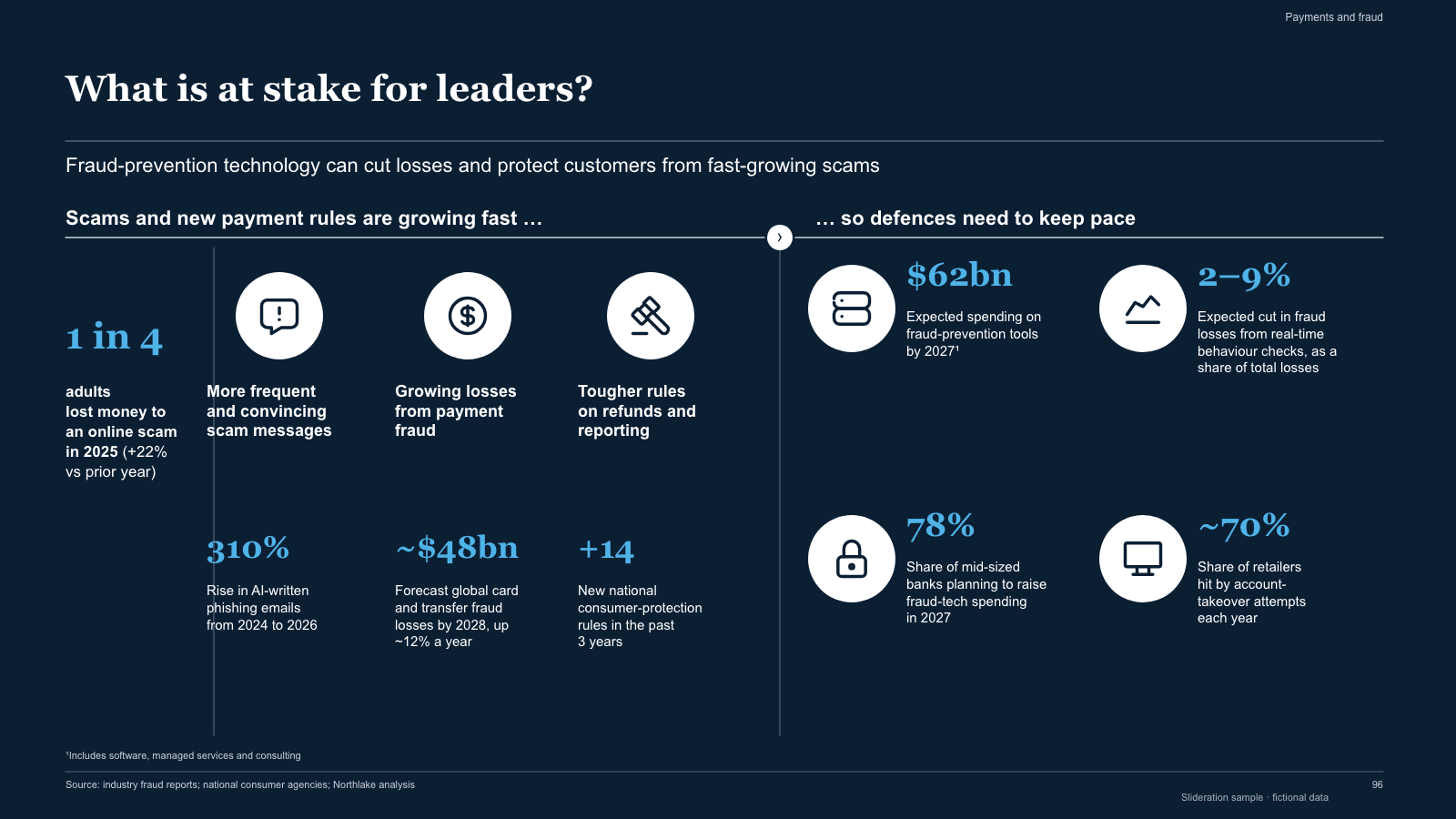
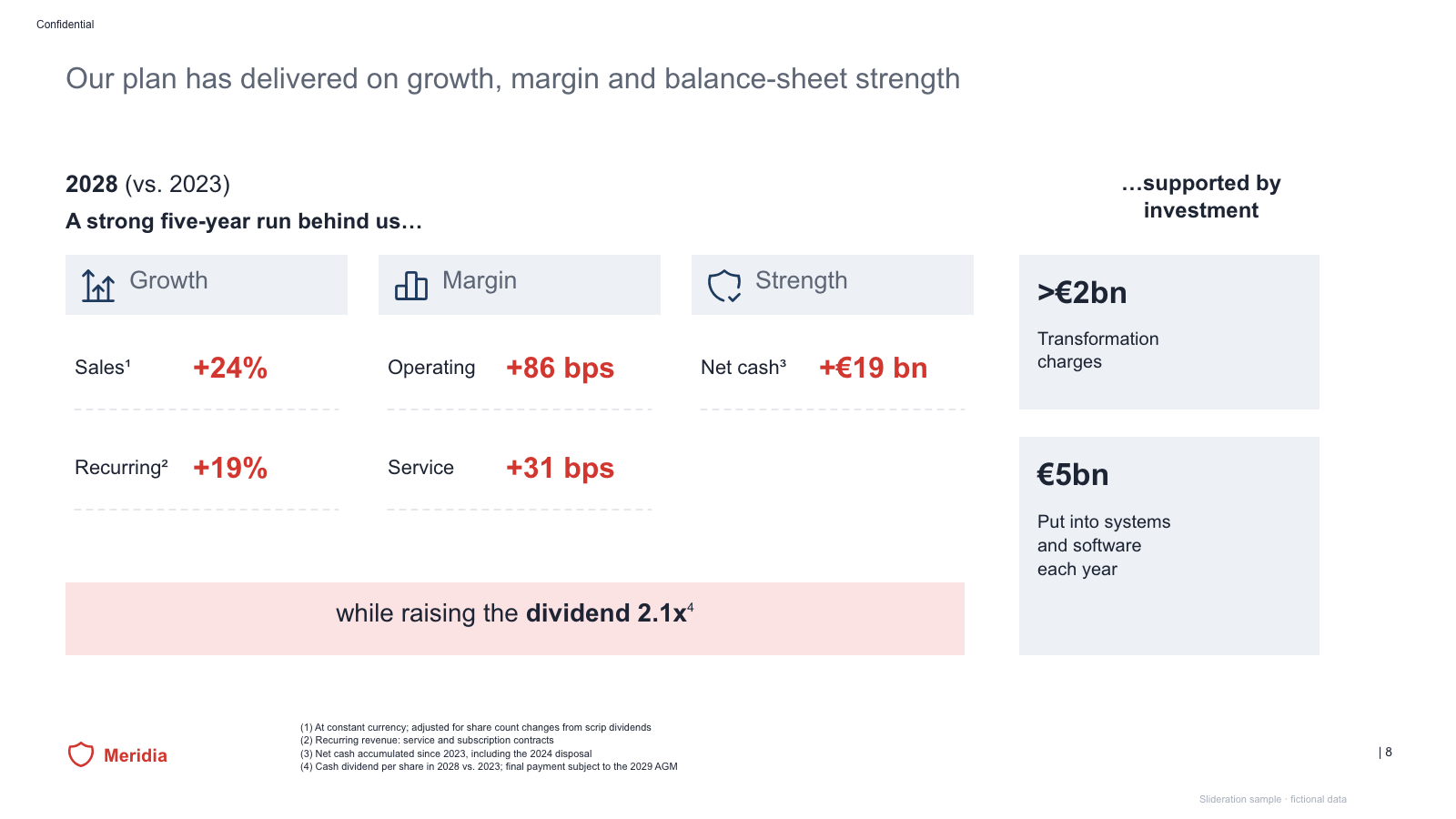
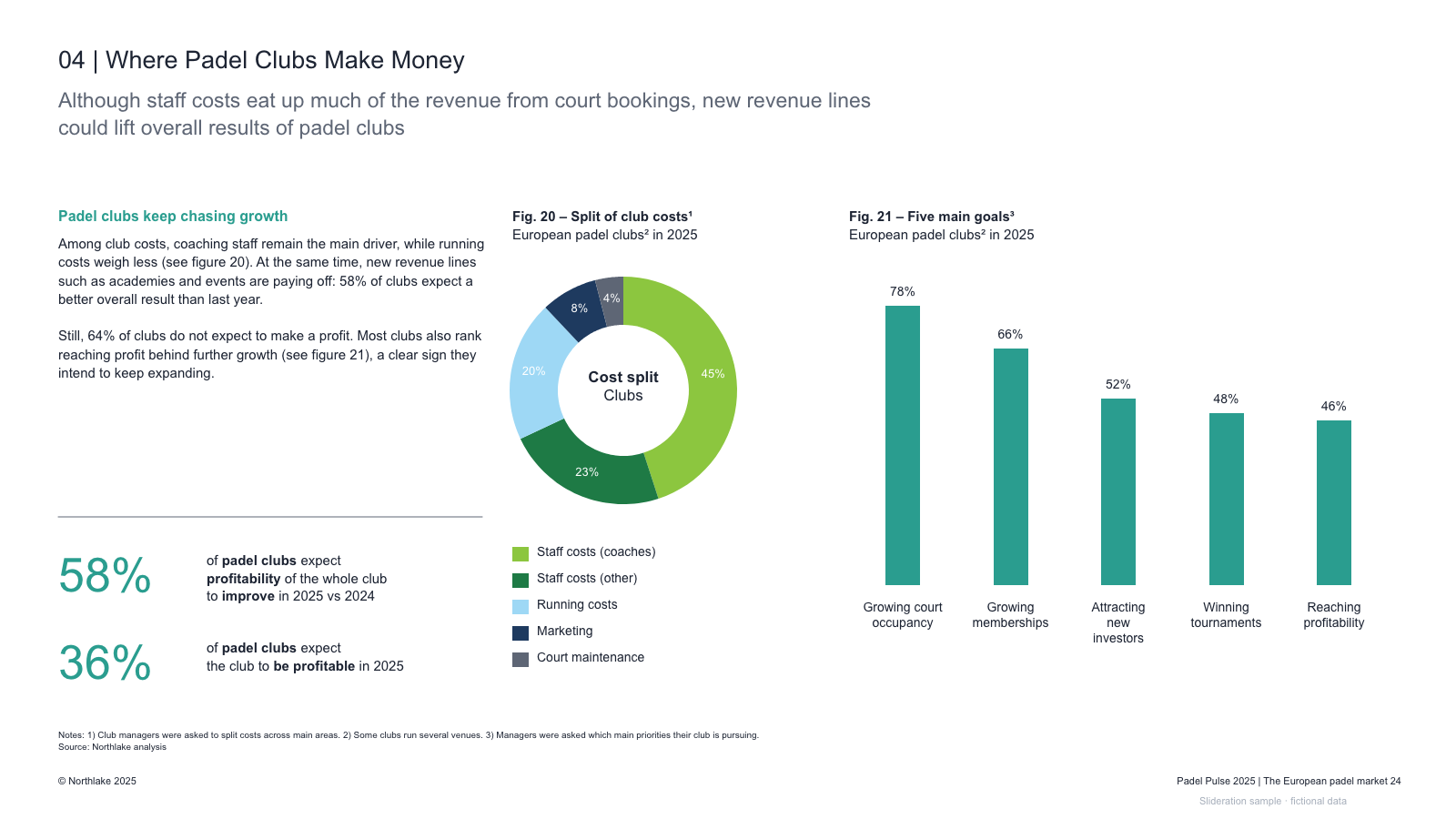
Matched by structure, not color. Download any layout as editable PowerPoint.
The library is small and growing. If nothing fits, try cropping to the part of the slide you care about.
Searching is free. 1 credit = 1 editable PPTX slide, and downloading the same slide again is free. New accounts get 2 free credits. Credits never expire.
One-time payments, no subscription. Prices in USD; taxes may apply at checkout. Payments are processed securely by our reseller and Merchant of Record, Creem. See the refund policy.
A recommendation or key conclusion, two or three distinct supporting facts, and the next action or decision. Add a source note for important figures. Leave methods and secondary findings for later slides.
An agenda lists topics in the order they will appear. An executive summary gives the answer and the evidence before the detailed discussion begins.
Use the form that makes the evidence quickest to understand. Bullets work for distinct conclusions; a compact chart or KPI panel works when the numbers are the argument. Do not add a chart solely to fill space.
Yes. Each example is a native PPTX made from editable shapes and text boxes. You can replace the fictional sample data, move sections and change colours in PowerPoint.