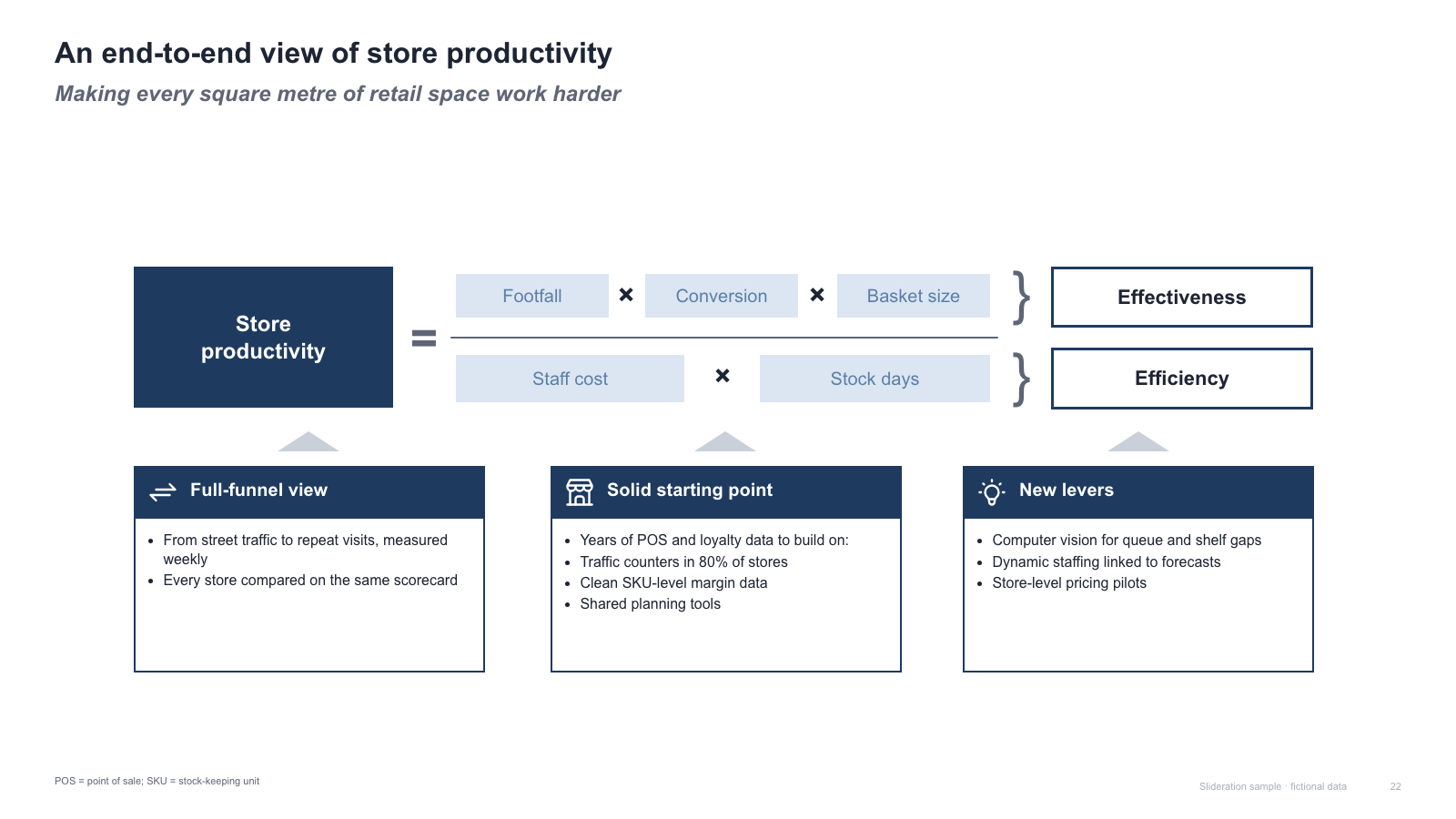
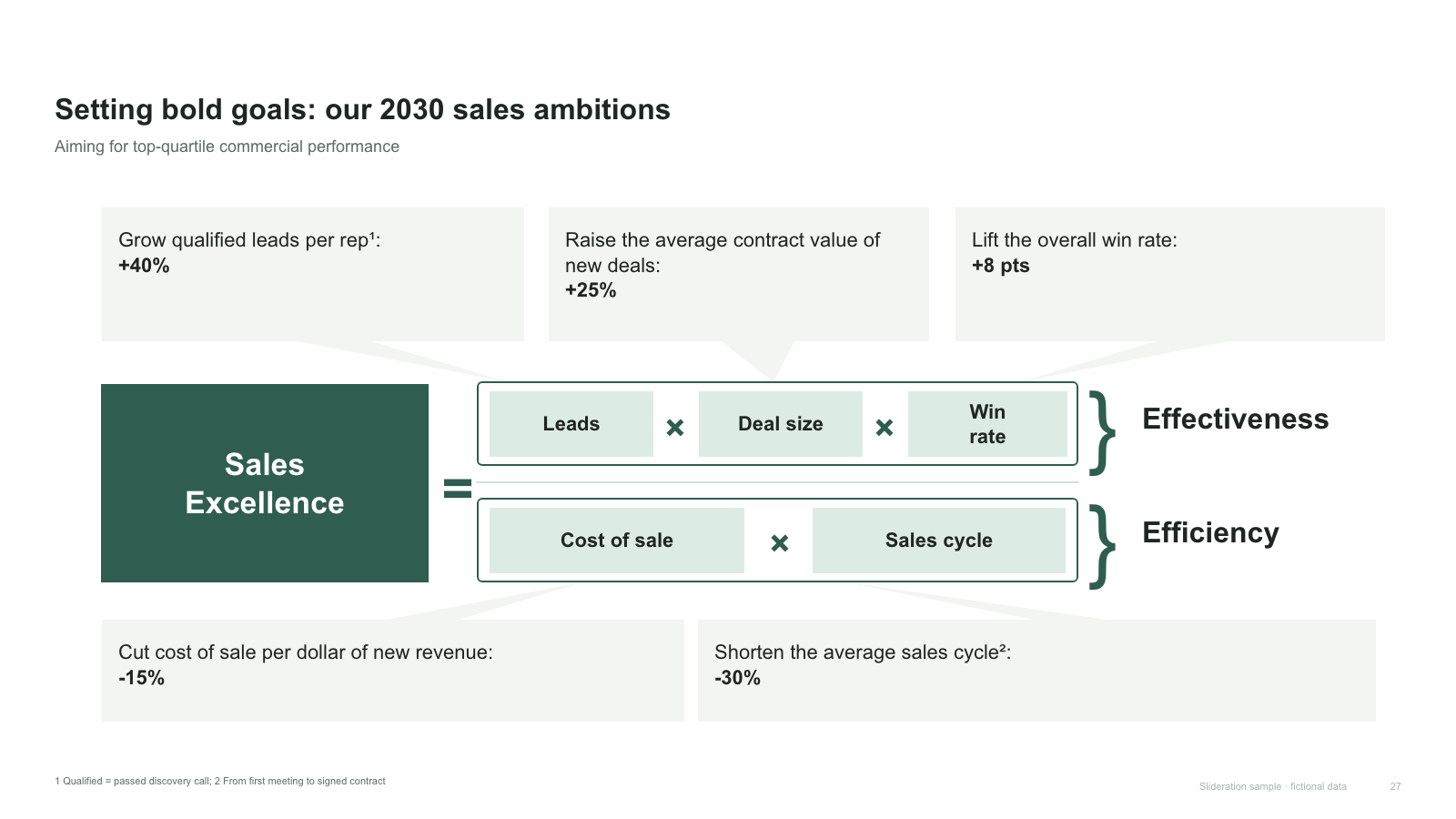
Driver-tree equation with effectiveness/efficiency brackets and three supporting boxes
Download PPTX · 1 creditSLIDE LAYOUT LIBRARY
An issue tree breaks one question into the sub-questions that settle it. A driver tree does the same for a number, decomposing it into the factors that multiply or add up to it. Both are how a consulting team turns a vague problem into work that can be divided.
One editable sample, no sign-up. See how to adapt it.
or drop an image here
Search is free · searches the whole library, not just this page
No screenshot to hand?
Use a tree when the slide has to show that a problem has been completely taken apart — that nothing was missed and nothing is counted twice. That property has a name, MECE: mutually exclusive, collectively exhaustive.
Driver trees are the arithmetic version. Revenue splits into volume × price; volume splits into customers × frequency. Each level should be a real identity, not a loose association, so a reader can follow the maths down the branches.
A hypothesis tree flips the direction: instead of decomposing the problem, it lays out candidate answers and the evidence that would confirm or kill each one. Use it when the point of the slide is the plan of attack, not the structure of the question.
FICTIONAL WORKED EXAMPLE
A fictional team has a list of possible causes: pitch quality, team structure, low awareness, packaging, seasonal demand, quality complaints and fewer shelf slots. The question is why unit sales are falling; none of the causes has yet been established.
Use the three-level logic tree d067: one question, three investigation branches, then testable hypotheses. It gives the team a place to organise the work before choosing which evidence to collect.
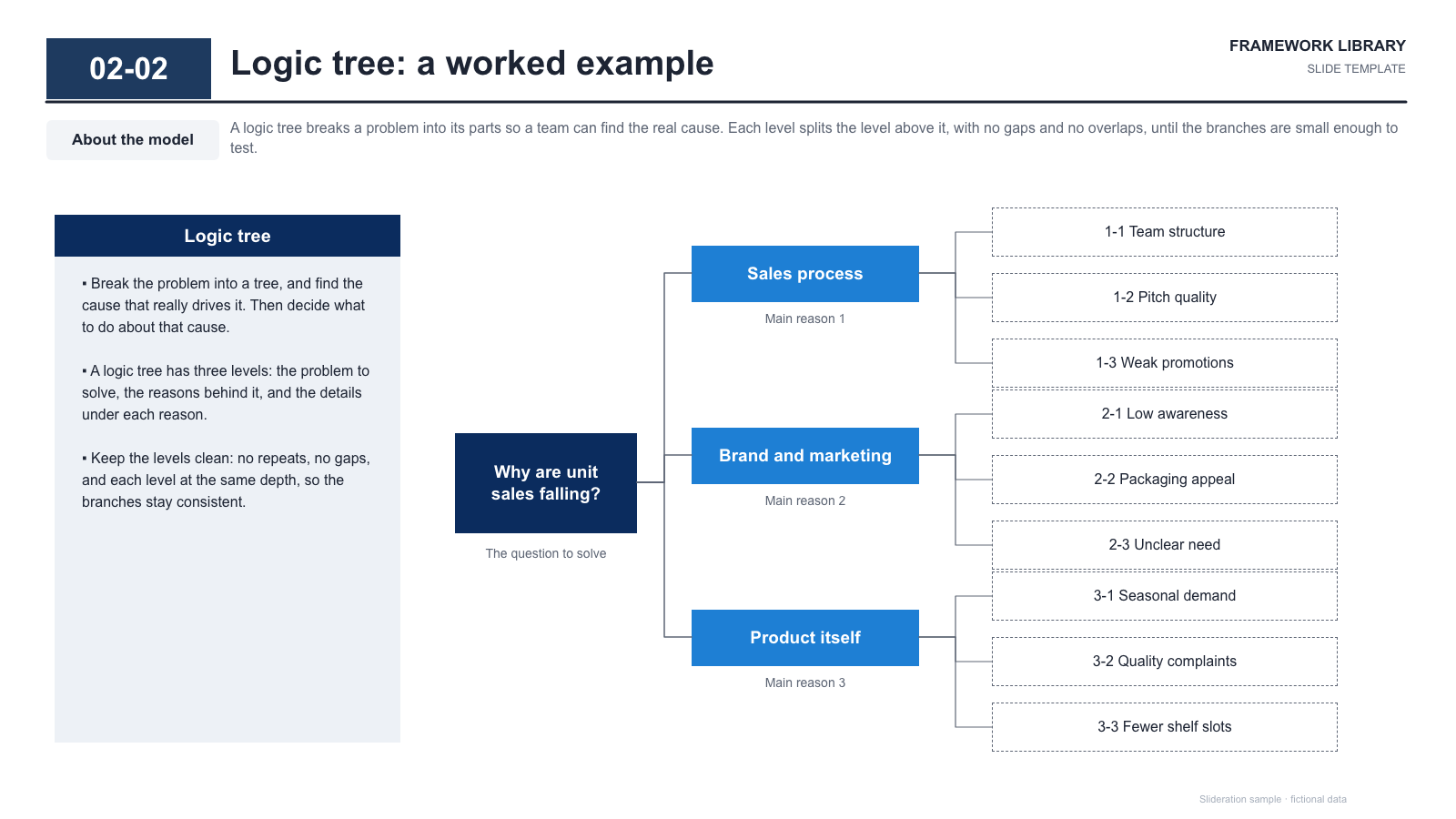
The sample separates sales process, brand and marketing, and the product itself. It is a starting hypothesis map, not proof of the cause or a guaranteed MECE decomposition. Define branch boundaries explicitly: for example, assign promotions to marketing rather than counting them under both marketing and sales.
Edit the root question, each branch label, the hypothesis boxes, connector lines, explanatory panel and footer. You can add or remove branches using ordinary PowerPoint shapes. Keep the visible tree to two or three levels.
Read the full before-and-after slide makeover guides
No account, payment or credits required for this sample. Get all three free PowerPoint templates. Use in your own presentations under our slide licence.
Each one is redrawn from scratch with fictional sample data and comes as a native PowerPoint file — real shapes and text boxes you can edit, recolour and resize. Open an image for a full-size preview. Samples marked Free PPTX need no account; other downloads use 1 credit.
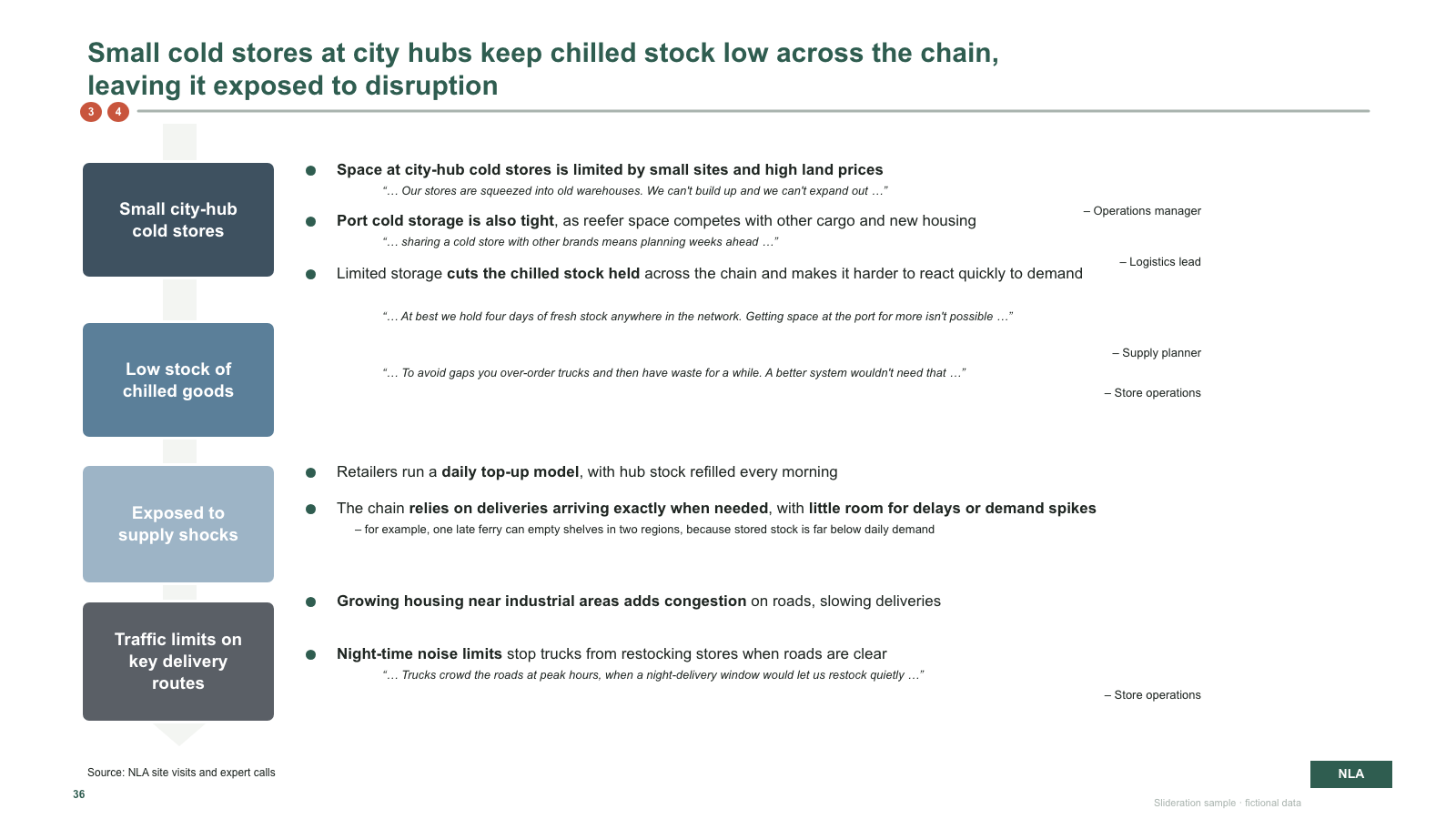
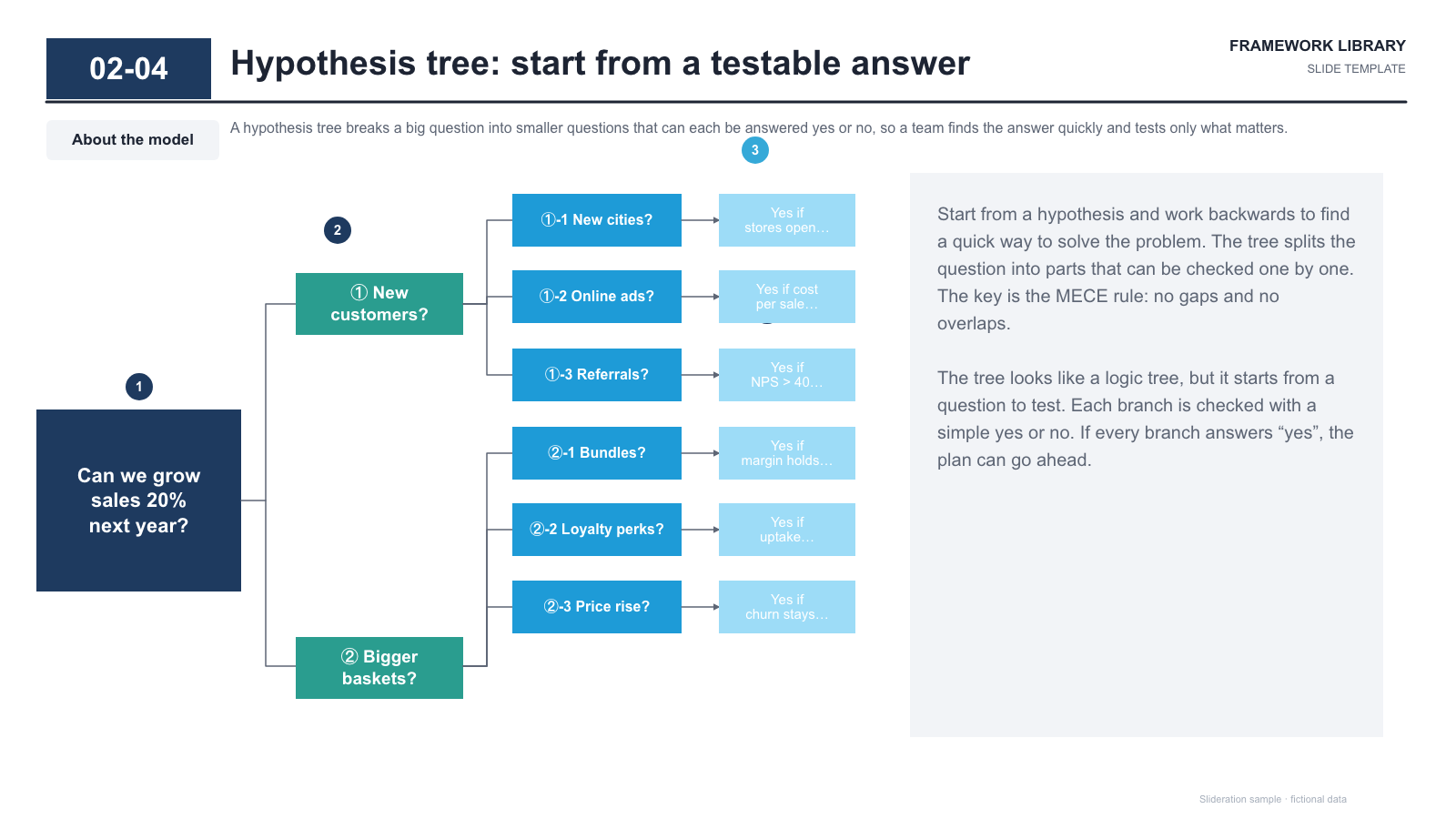
Matched by structure, not color. Download any layout as editable PowerPoint.
The library is small and growing. If nothing fits, try cropping to the part of the slide you care about.
Searching is free. 1 credit = 1 editable PPTX slide, and downloading the same slide again is free. New accounts get 2 free credits. Credits never expire.
One-time payments, no subscription. Prices in USD; taxes may apply at checkout. Payments are processed securely by our reseller and Merchant of Record, Creem. See the refund policy.
Mutually exclusive, collectively exhaustive. Mutually exclusive means no two branches overlap; collectively exhaustive means together they cover the whole parent. It is what lets you claim the problem has been fully taken apart rather than partially sampled.
An issue tree decomposes a question into sub-questions. A driver tree decomposes a quantity into the factors that produce it, usually through a real arithmetic identity. Issue trees guide investigation; driver trees guide calculation.
Two or three. The deeper working tree belongs in a backup page or a spreadsheet — on a slide, the fourth level is usually unreadable at the back of the room.
Whenever you have them. A tree with magnitudes turns a structural argument into a prioritisation argument, which is nearly always the one the audience actually wants.