Each file contains one editable slide from the Slideration library. Sample names, figures and claims are fictional; replace them with your own evidence. Text boxes, layout shapes and connectors are editable; small decorative icons may be images. These samples use the same licence as our other slides: use and edit them in your own presentations, including client work; do not redistribute or resell the template files.
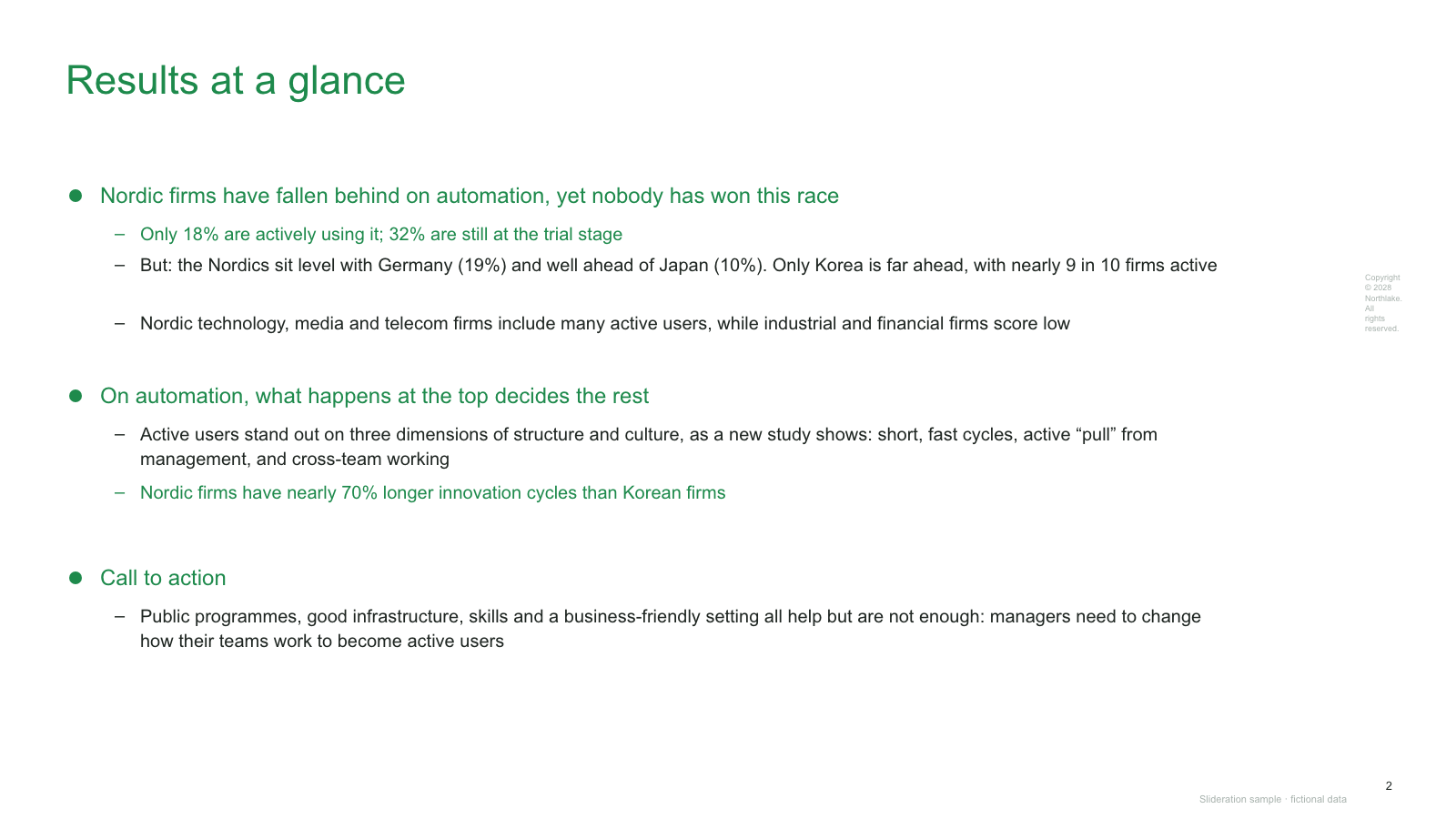
Free executive summary PowerPoint template
Edit the headline, the three conclusion blocks, the supporting bullet text, the colour highlights and the footer. These are native PowerPoint text boxes and shapes; you do not need to trace a screenshot.
How to use this template
Write the decision or recommendation before editing the slide.
Replace each conclusion and its supporting figures with your own evidence. Delete any bullet that does not change the decision.
Add an owner and next action, replace the sample footer, and check readability in slideshow view.
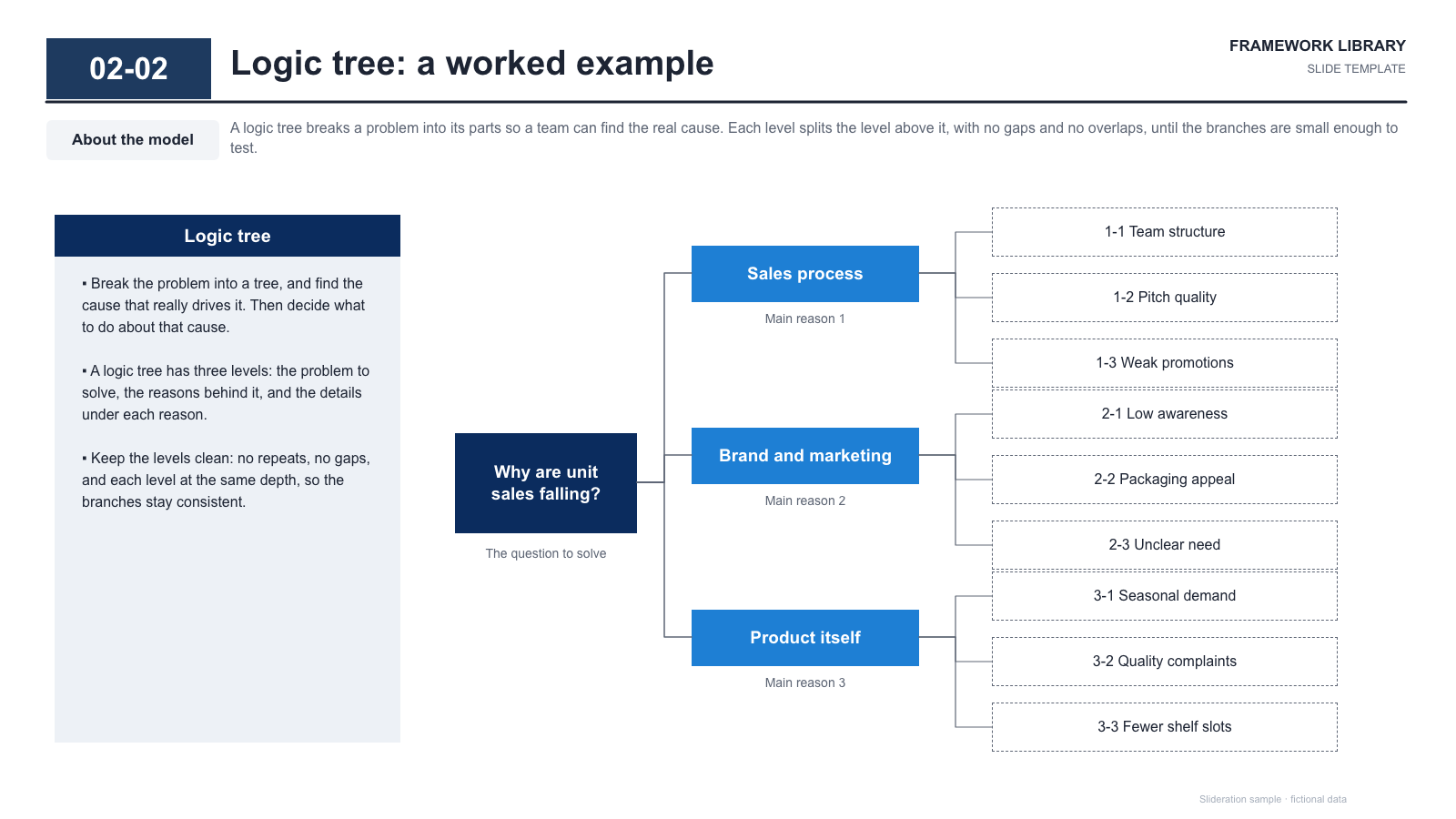
Edit the root question, each branch label, the hypothesis boxes, connector lines, explanatory panel and footer. You can add or remove branches using ordinary PowerPoint shapes. Keep the visible tree to two or three levels.
How to use this template
Replace the root question with one measurable business problem and a time period.
Choose non-overlapping branch definitions and replace the leaves with hypotheses that can be tested. Check for missing causes.
Assign evidence and an owner to each hypothesis in your working notes. Highlight a branch only after the evidence supports it.
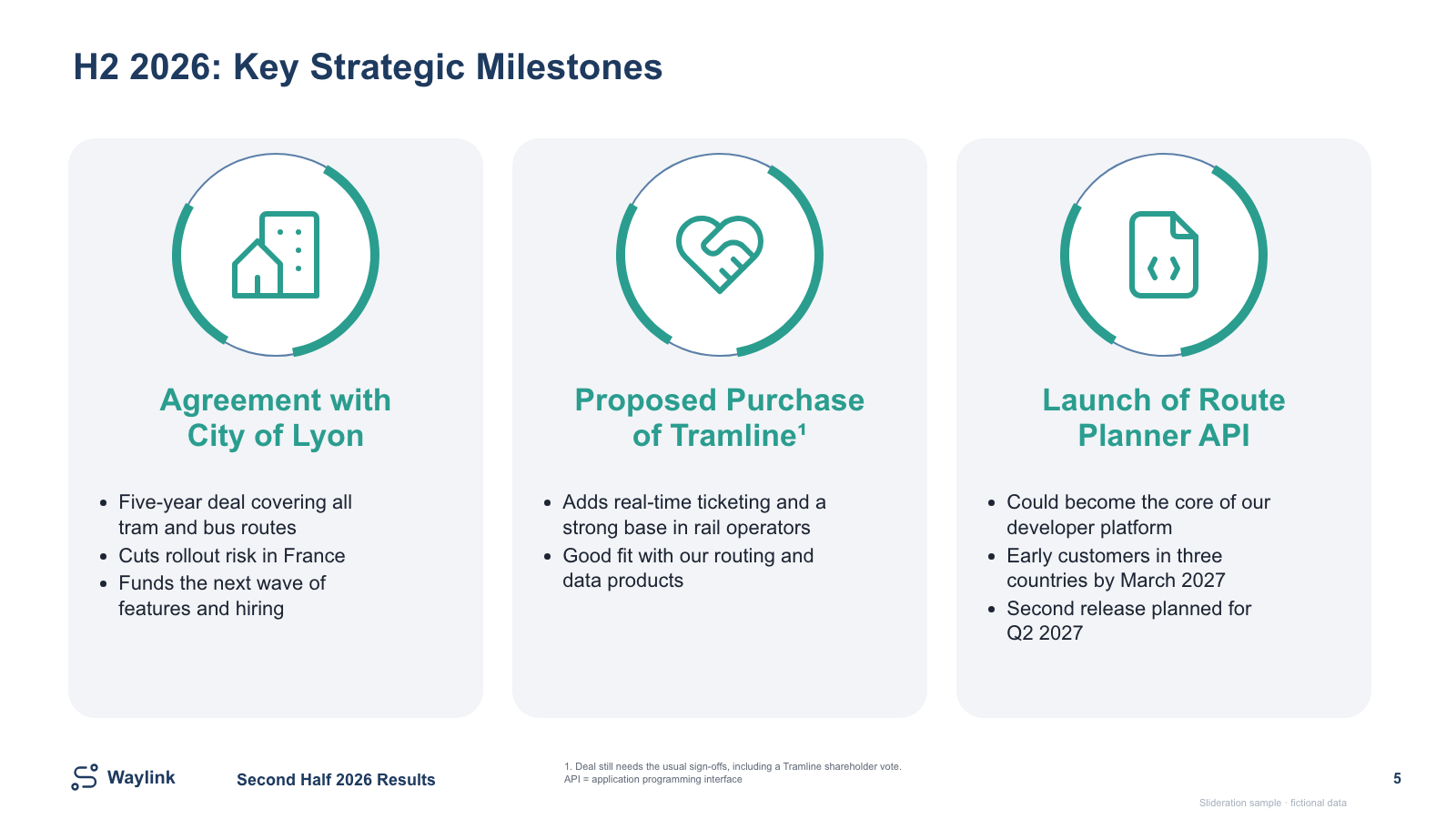
Edit the reporting period, the three milestone headings, supporting text, icons and the conditional-deal footnote. The headings and content panels are native PowerPoint objects; the small decorative icons may be images.
How to use this template
List each milestone with its date, status and consequence for the business.
Replace the three sample events. Mark each as completed, planned or conditional, and keep approval conditions beside the relevant event.
If the meeting needs a schedule, add explicit dates or choose a date-scaled roadmap. Replace the fictional company name and footer.