Assay menu and launch waves PowerPoint Template
Editable assay menu and launch waves worksheet with a fictional worked example and a fill-in slide. Preview both pages; download the 2-slide PPTX for 1 credit.
View in library · PPTX · 1 credit
Sign in to download. One credit unlocks the complete 2-slide file; repeat downloads are free.
When to use this template
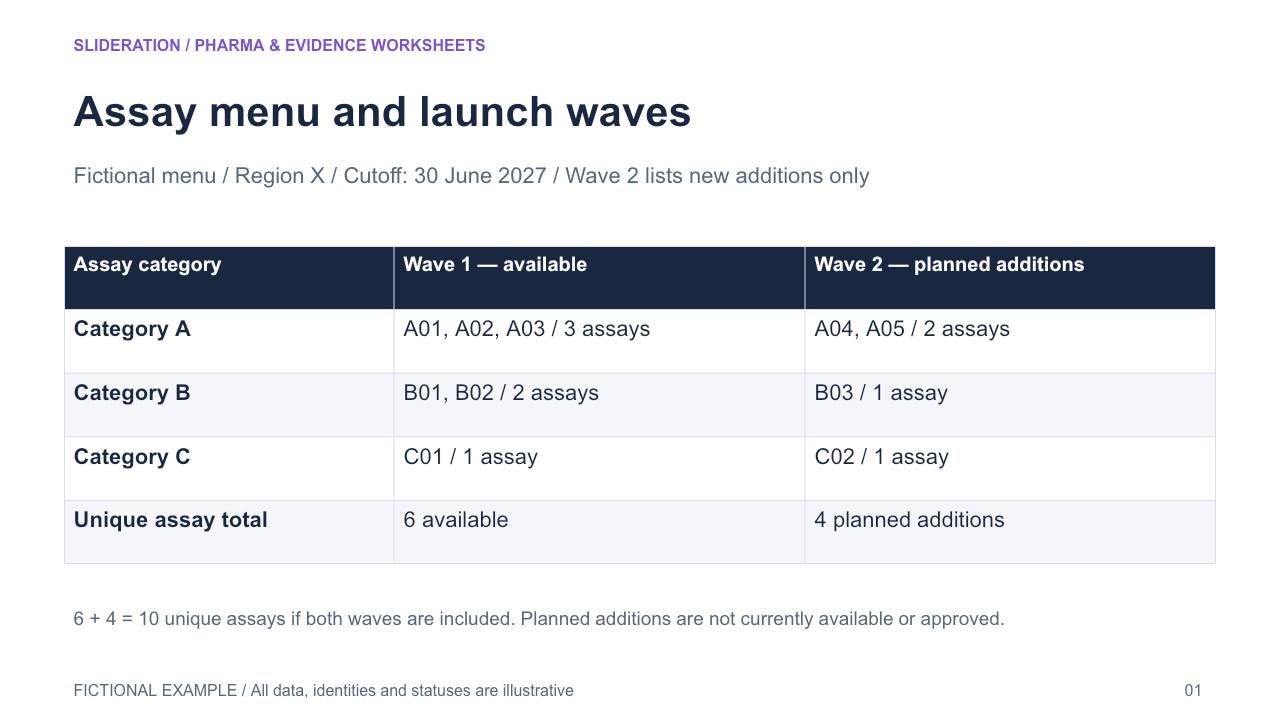
Assay identity and category link to first versus later launch wave and availability state, with mutually exclusive assignment and distinct planned/available counts.
What you can edit
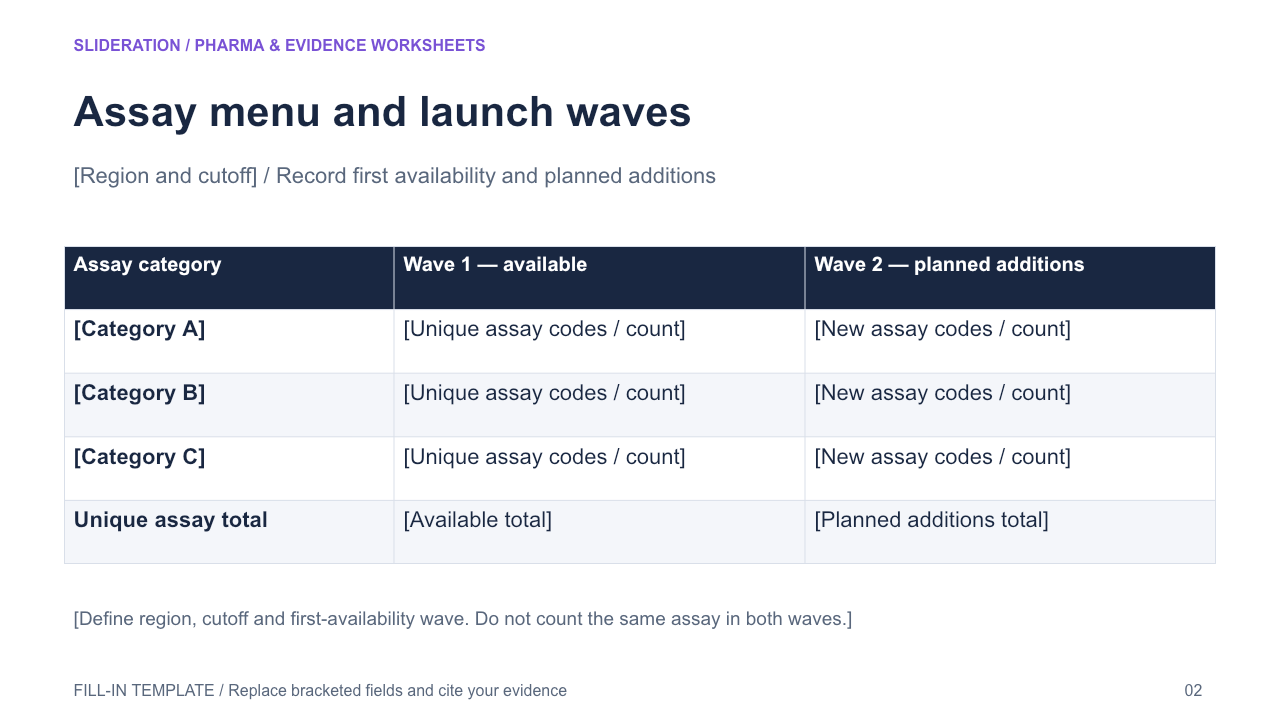
Edit the text, table cells and any native chart data in PowerPoint. The second slide keeps the structure and provides replacement fields. Chart templates use zero seed values on the fill-in slide; replace these together with the associated definitions and tables.
Use the evidence correctly
Use generic fictional assay codes and categories. Wave2 contains additions, not a second count of wave1. Availability is region/cutoff-specific; planned launch is not approval or current availability. Do not imitate the source subway artwork or copy real test names. Native category-by-wave matrix with unique counts.
- Define your population, reporting period, measures and evidence sources.
- Duplicate the fill-in slide and replace every bracketed field and chart value.
- Check units, denominators, labels and conclusions against your source before presenting.
View in library · PPTX · 1 credit
Sign in to download. One credit unlocks the complete 2-slide file; repeat downloads are free.
All example content is fictional. Original Slideration template; no company endorsement. Use in your own presentations and client work under our slide licence. Redistribution or resale of template files is not permitted.