How to structure a milestone update slide from event notes
Original Slideration editorial exercise · fictional scenario, not a client result. The before/after panels below explain an editorial transformation; they are not screenshots of a customer's deck.
Meeting question: What has happened, what remains conditional, and what is still planned?
Before and after: change the hierarchy first
Before: unstructured briefing notes
- A city agreement mentioned beside future releases
- A proposed acquisition awaiting approval
- Route-planner API launch and future release notes
- Dates, business implications and conditions mixed together
After: proposed reading structure
- City agreement: separate achieved commitments from remaining work
- Proposed acquisition: keep approval conditions visible
- API milestone: distinguish launch facts from planned releases
Try matching this sample layout
This opens a public fictional sample in the real search tool. It searches the library rather than showing predetermined matches. You can then replace it with your own screenshot.
Why choose this layout?
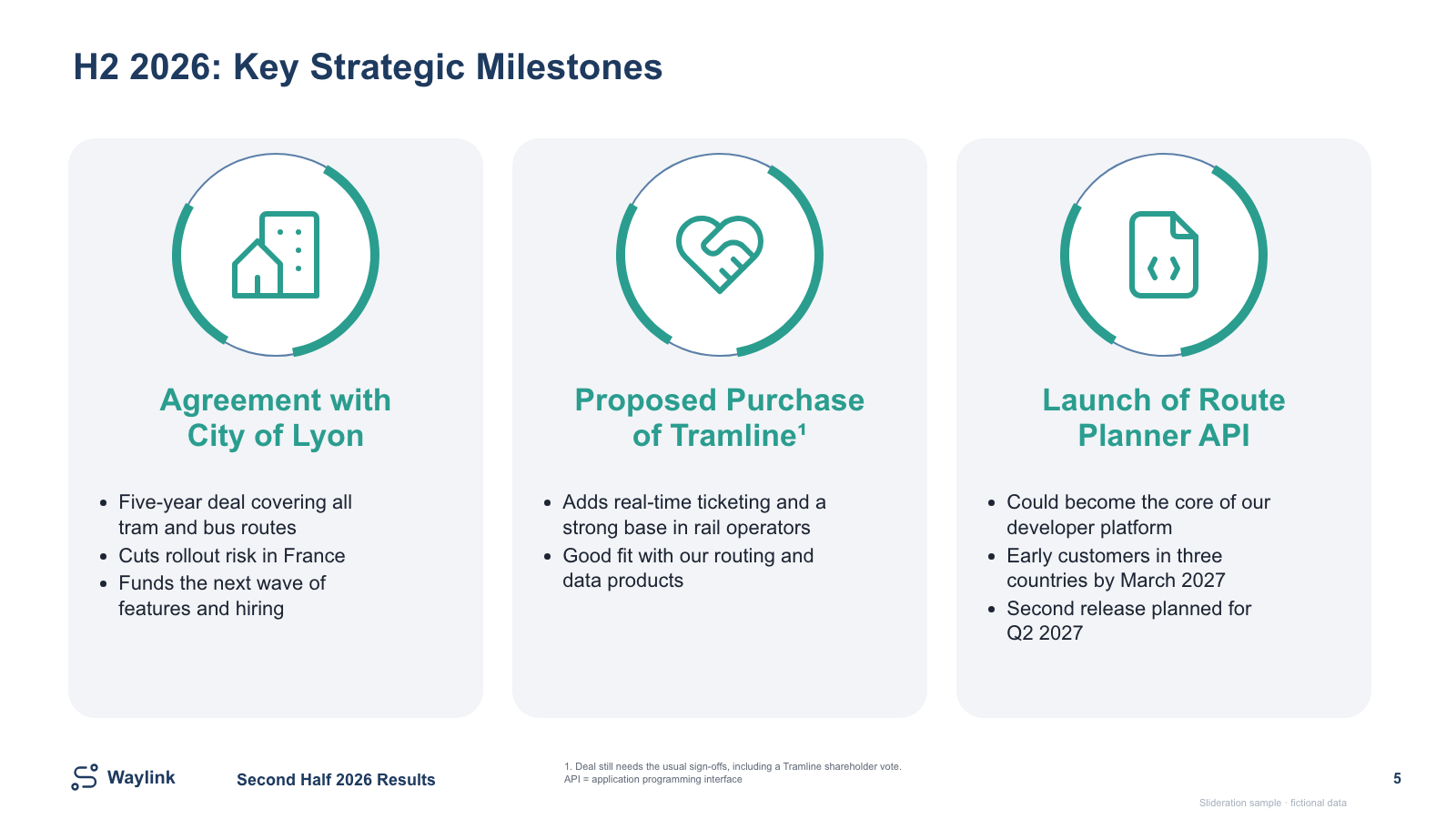
The problem is not primarily decoration; it is status ambiguity. We give each event its own card so the heading, business meaning and conditions can be read together. The c017 sample has editable content panels with small decorative image icons. It is a milestone summary, not a date-scaled timeline, so equal card width does not mean equal duration.
Reproduce the transformation
- Create a working list with event, date, status and consequence. Do not infer missing dates.
- Classify each claim as completed, planned or conditional. Preserve approval conditions beside a pending deal.
- Keep one milestone per card and remove detail that belongs in backup material. Add explicit dates and status labels when adapting the file.
- Choose a different layout if sequence, duration or dependencies are central. A dated roadmap or Gantt is a better answer to a scheduling question.
Where this approach stops working
All companies and events in this example are fictional. The sample illustrates presentation structure, not business progress. A promise is not an achieved release and a proposed acquisition is not a completed transaction. The three-card layout cannot communicate duration reliably without additional date information.
Review before presenting
- Can the reader distinguish completed, conditional and planned items?
- Are conditions and dates visible rather than buried in small print?
- Does the meeting need milestone meaning, or a schedule with dependencies?
Download and adapt the editable sample
Edit the reporting period, the three milestone headings, supporting text, icons and the conditional-deal footnote. The headings and content panels are native PowerPoint objects; the small decorative icons may be images.
Download free timeline and milestones PPTXNo account or credits required for this sample. Personal, client and commercial presentation use is permitted under the slide licence; do not redistribute or resell template files.
Explore more timeline and milestones layouts · Match your own draft with a screenshot · All three free templates